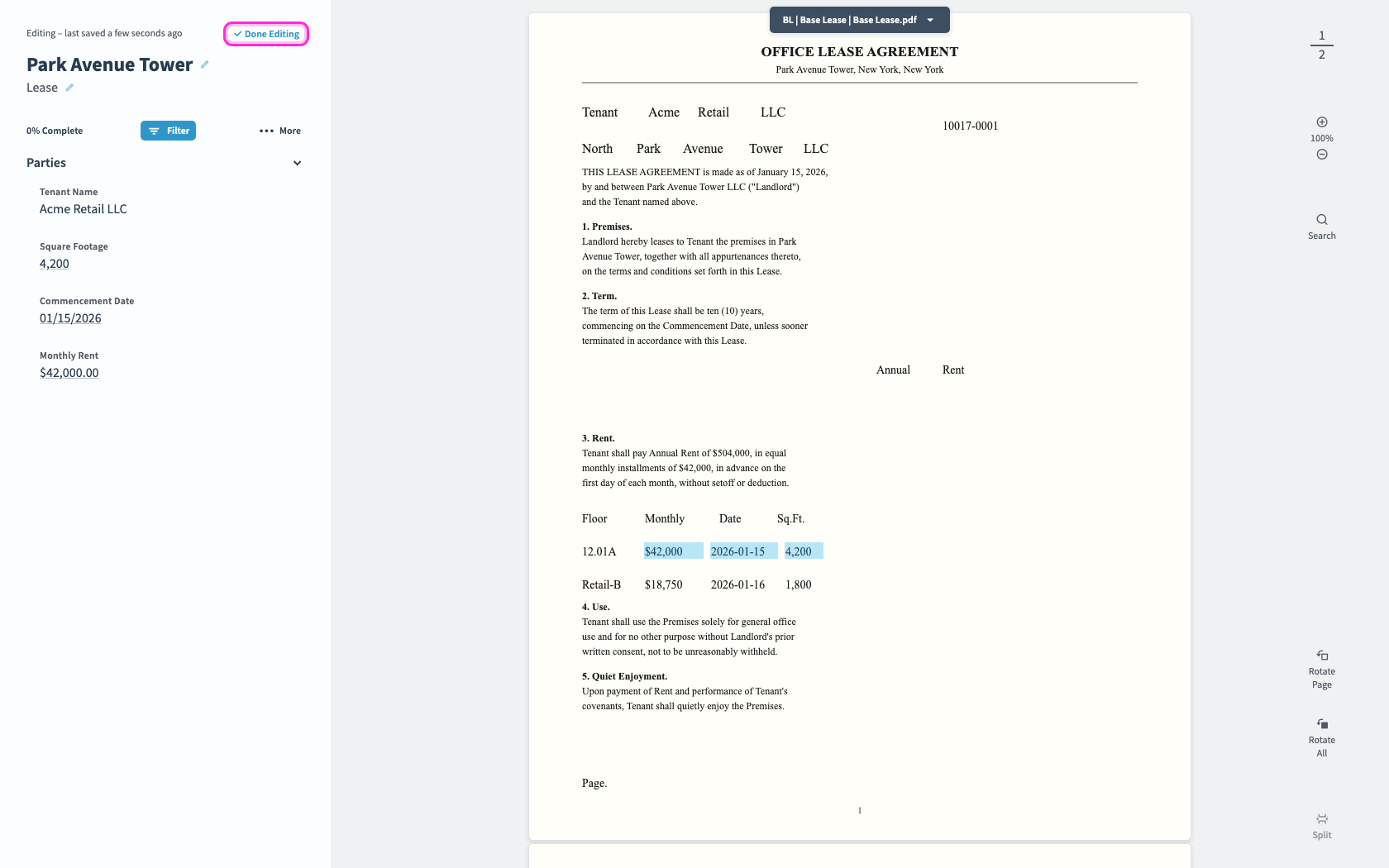
Remove a Field's Link
Clear a field's link from the source document.
1
2
Click an existing link, either in the fields panel or on the document, to open it.
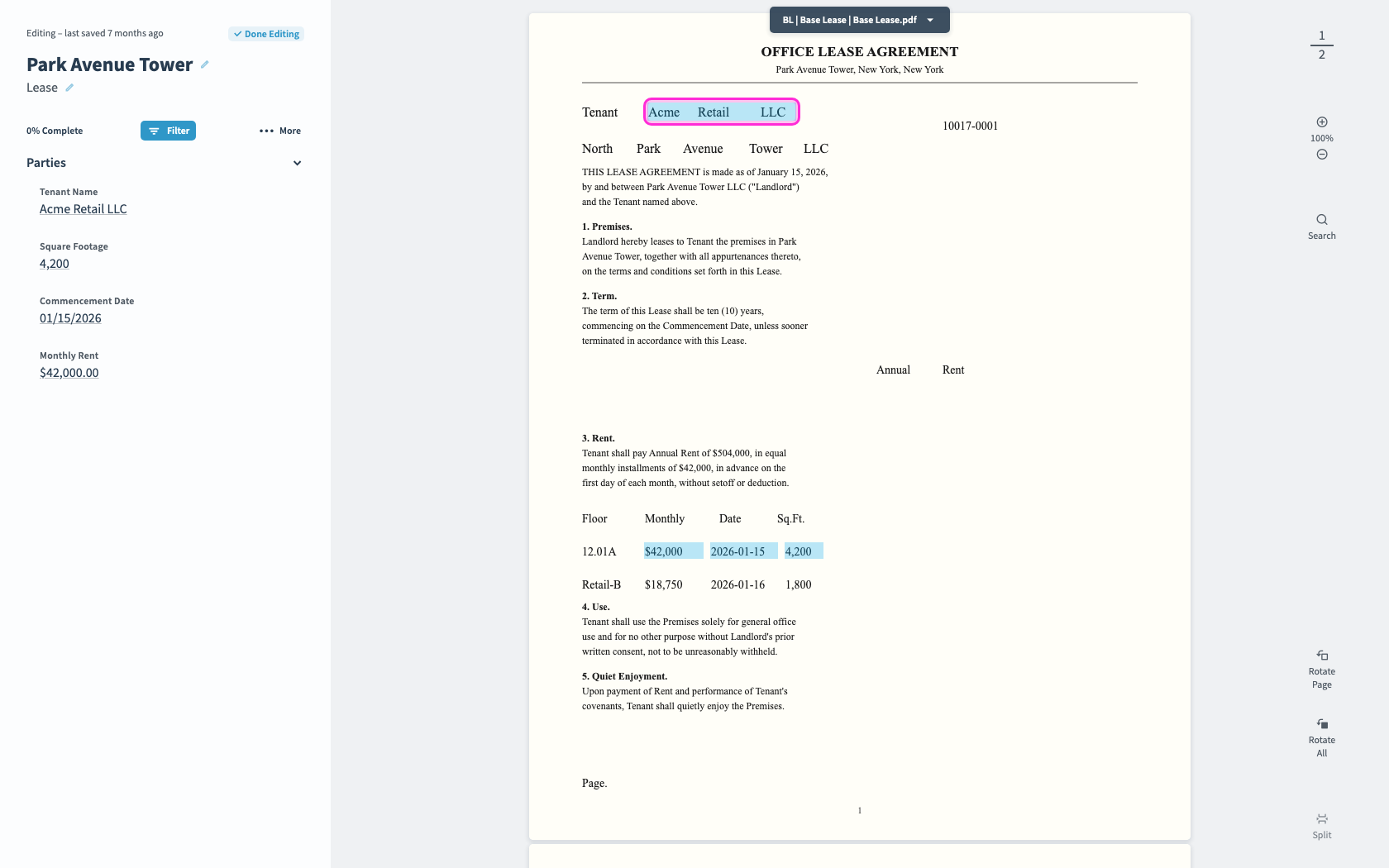
3
The link opens on the document. Click Remove Link.
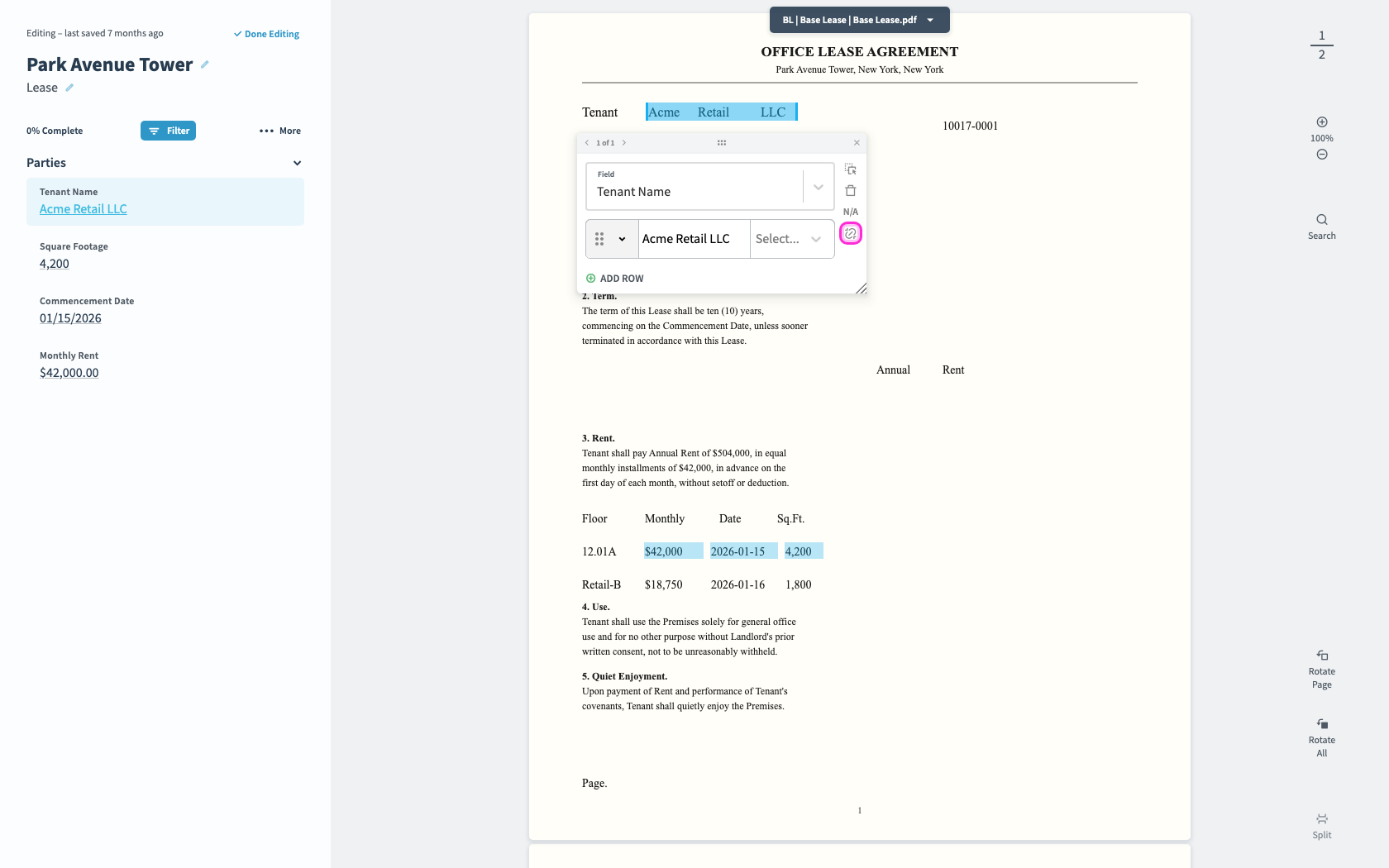
4
The link is cleared from the source page.