• Product
  • Templates
  • Pricing
AbstractCRE
LoginTry Now
  • Product
  • Templates
  • Pricing
Try Now

Help Center

  • Overview
  • Getting started
    • Create an Asset
    • Create an Abstract
  • Working in an abstract
    • Getting into Edit Mode
    • Edit a Field Value & Link
    • Create a Link
    • Remove a Field's Link
    • Change the Abstract Name
    • Change the Abstract Template
  • Search, AI, and data
    • Ask AI - Chat with Your Abstract & Documents
    • Keyword Search (All Documents)
  • Documents
    • Uploading
      • Uploading a Document to an Existing Abstract
      • Upload Misc Documents
    • Downloading
      • Download Individual Document
      • Download an Abstract's Documents
      • Bulk Download Documents by Asset
      • Bulk Download Documents (All)
    • Deleting
      • Deleting Documents
  • Exports and reports
    • Exporting Views to Excel
    • Exporting Views as a PDF
    • Export Abstract to Excel
    • Export Abstract to PDF
    • Exporting Dates to Calendar
  • Team
    • Invite a New Team Member
    • Creating Custom Roles
    • Navigate Between Teams
  • Security
    • Set up Multi-factor Authentication

Invite a New Team Member

Add someone to your team.

1

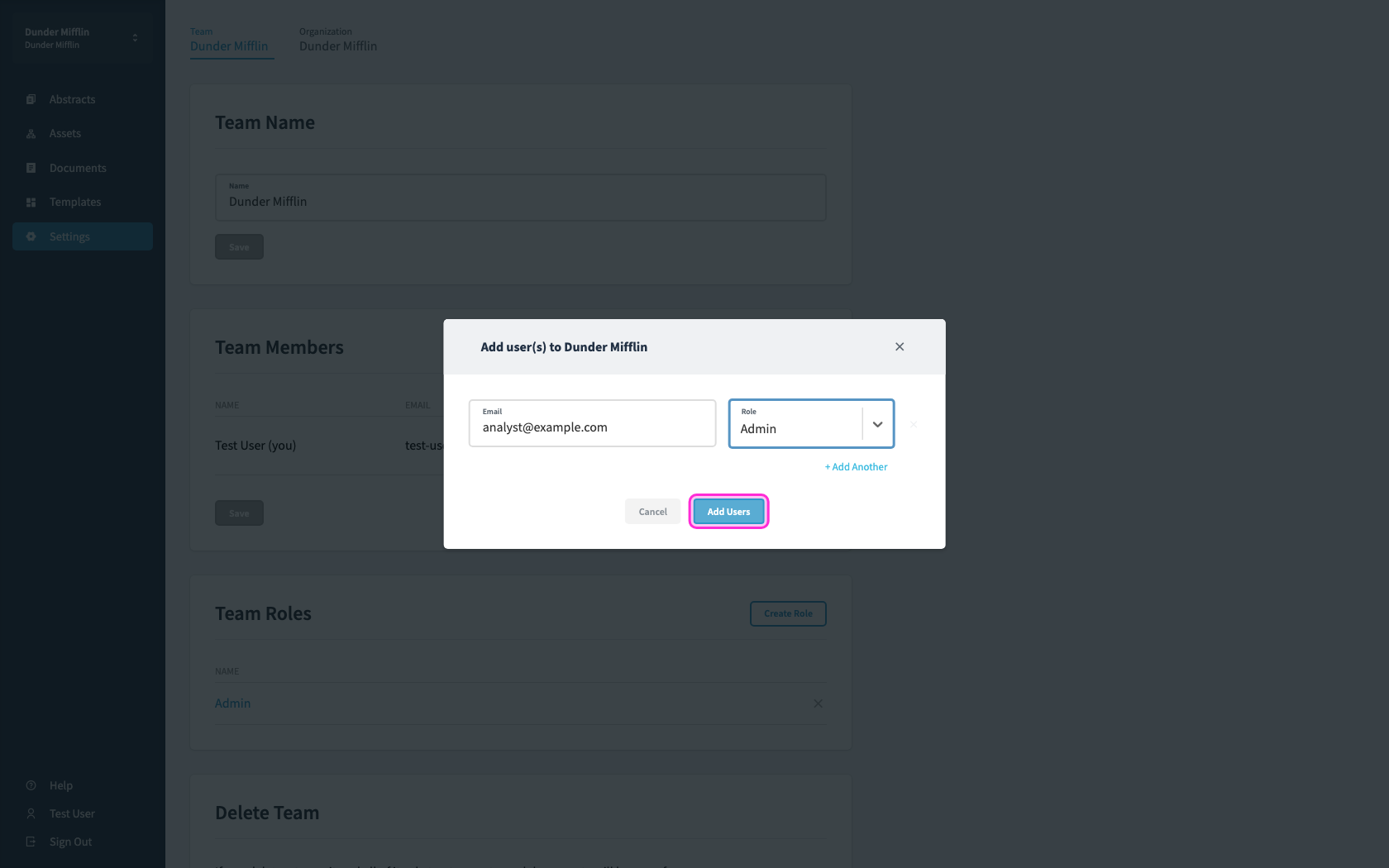
Open Settings from the sidebar.

Open Settings from the sidebar.
2

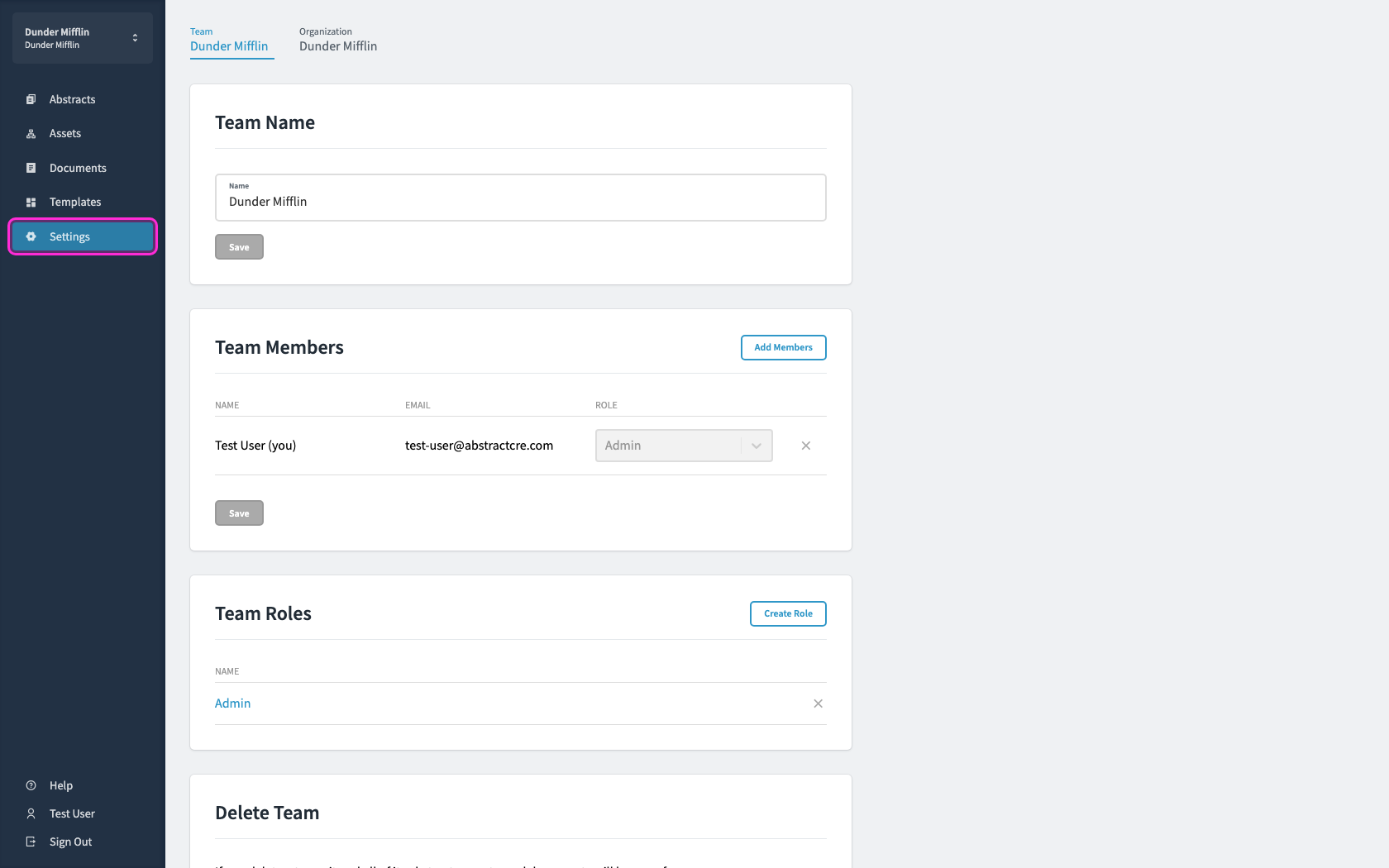
Click Add members.

Click Add members.
3

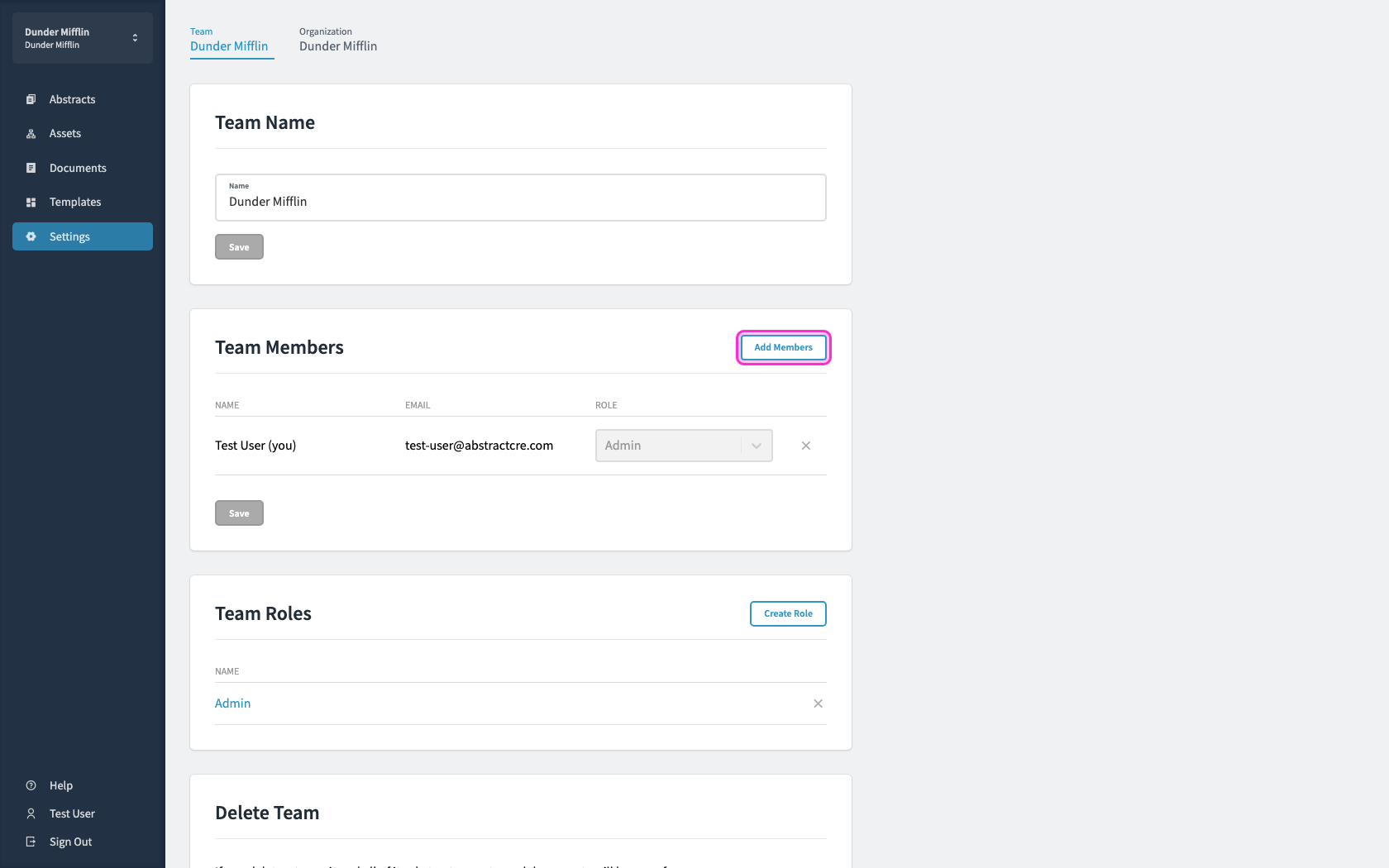
Enter an email, choose a role, then click add users.
Enter an email, choose a role, then click add users.
Unlock AI for your real estate team today

Schedule DemoTry Now

Copyright © 2026 Abstract App, Inc.All rights reserved.

Platform

  • Product
  • Abstract Templates
  • Testimonials
  • Pricing
  • Company

Resources

  • Help Center
  • Developers
  • Privacy Policy
  • Terms and Conditions
  • Security
  • System Status

Connect

  • Linkedin
  • YouTube
  • Schedule Demo
  • Log In